When people search how to fix IPTV buffering, they usually mean the same sofa problem: the guide opened, the station looked fine for thirty seconds, then the picture stuttered, lagged, or froze while the house argued about whose fault it was. This page is the household order we wish every Vistra TV home used before anyone reinstalled the player or paid a second time. It is written for vistratvs.com customers on a Firestick, smart TV, phone, or laptop—not for forum myths about “premium streams” that ignore your wall.
If you do not have a login yet, start on pricing or request a 24-hour trial from contact. If the stick itself never finished setup, fix that first in putting Vistra TV on a Fire TV Stick or on setup. Stay here when the account works and the picture does not hold.
The order that saves the evening
Buffering has three gates at once: the source feed, the device, and the connection. Households waste nights when they jump straight to “is my plan broken” or wipe the app as a reflex. Use this order instead:
- Confirm you are on the main home Wi-Fi—not guest, not hotspot, not hotel.
- Move closer to the router or change band if the house allows it.
- Close the player, restart the stick or television, open the same station again.
- Try a second feed in the same folder if one row stutters and others look fine.
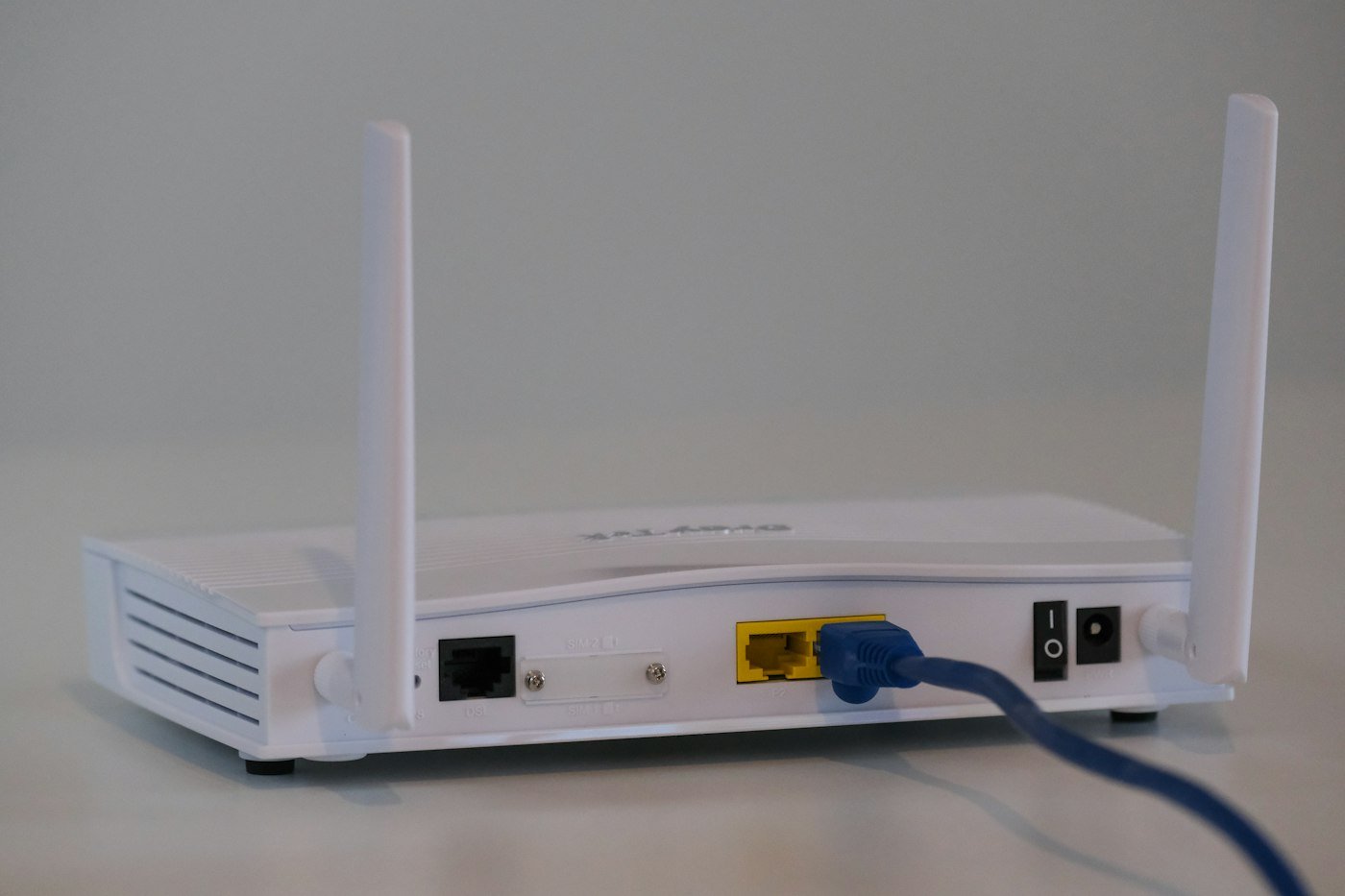
- Use ethernet if the set or stick adapter allows a short cable.
- Then write WhatsApp with what you already tried.
That sequence sounds dull because it is dull. Dull fixes more evenings than a dramatic reinstall. Reinstalling usually recreates the same login with a higher chance of a trailing space and a colder dinner.
Picture quality still depends on your line. If another HD film app already struggles on the same screen, Vistra TV will not invent bandwidth. Buying twelve months at $60 will not repair a congested access point in a brick hallway. Fix the path to the router first.
Router, SSID, and distance
Start with the name of the network on the stick or television. Guest networks often allow browsing and then throttle or isolate video devices. Phone hotspots look fine for a guide load and then fall apart on a match. Hotel and cafe Wi-Fi are poor places to judge any television service. Wait until you are on the line you will actually use in the evenings—the same advice we give beginners in best IPTV for beginners.
Distance matters more than people admit. A Firestick behind a television cabinet, two rooms from a closed router cupboard, will stutter while a phone in your pocket looks fine. Move the stick’s power to a shorter USB path if you can, open the cabinet door for a test, or relocate the router a few feet toward the living room. Mesh nodes help when they are placed honestly; a single node hidden behind a fish tank does not.
Restart the router once if the whole house feels soft—not only the player. Other devices buffering at the same time is a line clue. One soft station while news and films hold is a feed clue. Knowing which clue you have decides whether you write us about a catalog row or about a network that needs a cable.
2.4 GHz, 5 GHz, and congestion
Many home routers broadcast two bands. 2.4 GHz reaches farther and crowds easily—neighbors, baby monitors, old laptops. 5 GHz is often cleaner at short range and drops through walls faster. If the stick sits near the router, try the 5 GHz SSID. If it sits far away and keeps dropping, 2.4 GHz may hold the association better even if peak speed looks lower on a speed-test vanity number.
Congestion is evening weather. The network that looked fine at noon can choke when every phone in the building streams. Lower the number of competing video devices in your own house first. Pause large downloads. Ask someone to finish the cloud backup later. One 4K film upload on a laptop will make a living-room stick look “broken” for no moral reason.
Speed-test theater is optional. A healthy stream needs steady throughput more than a brag number. If tests swing wildly between rooms, you have a coverage problem, not a plan problem. Coverage problems are solved with placement, band choice, mesh, or ethernet—not with a longer Vistra TV card.
Restart player, stick, then router
Close the player completely—do not only press Home and pretend. On a Fire TV Stick, force-stop or remove it from recent apps, then open it again. On a smart TV, leave the app and reopen, or power-cycle the set if the firmware is sticky. Then restart the stick or television itself. Then, if the house is still soft, restart the router and wait a full two minutes before you judge the first station.
Update the stick or set when it has been in a drawer. An overdue system update that suddenly runs mid-match will look like buffering and feel like betrayal. Let updates finish before kickoff. The Firestick article walks the calm install and upkeep path in putting Vistra TV on a Fire TV Stick.
Do not clear data and re-type the login as step one. That is step last, after you have ruled out network and feed, and only if the player itself is corrupt. Most “reinstall fixed it” stories were actually “I finally landed on the main SSID” stories wearing a costume.
Second feed and player settings
Soft or stuttering video on one live station is not automatically a dead account. Open the same folder and try another feed for the same event or a neighbor row. Sports rooms especially may carry more than one label for a big night. If the second feed holds, you learned something useful: the login works, the line can hold a picture, and that first row needs a note to support—not a panic cancel.
Inside the player, avoid stacking experiments. Do not open three external players “just in case.” Do not flip between every buffer size you saw in a YouTube comment while the match is live. Change one thing, test for a few minutes, change another. If the activation email named a specific player, stay on that player. A random app from a search ad plus your playlist is a new variable, not a fix.
Login typos still matter even when buffering is the complaint. A half-loaded guide that constantly reconnects can look like network failure when the portal URL has a hidden space. If the guide never finished building cleanly, revisit the activation email and re-enter details carefully. Setup clicks for every screen sit on setup and how it works.
When a cable beats another chat
If the television has an ethernet port, use it for the test evening. A short cable from set to router removes Wi-Fi weather from the argument. Many Firesticks accept a USB ethernet adapter; that dull adapter has saved more match nights than any slogan about “4K optimized servers.”
Powerline adapters and long cheap cables vary. They can still beat a brick wall. The point is not brand romance. The point is a stable path. Once ethernet holds and Wi-Fi does not, you know where to spend money: on the network path, not on a second subscription from a lookalike shop.
We do not sell adapters. We do not mail hardware. We will tell you honestly when the line is the limit. That honesty is why a 24-hour trial on your own Wi-Fi exists before you choose $16, $31, $40, or $60 on pricing.
Match-night tips that actually help
Sports nights are their own weather. Coverage still depends on the event sitting in the current catalog, and the picture still depends on the line. Read sports and what holds up on match night if sports is why you pay. A trial on a Saturday you already planned to watch beats any logo screenshot.
Pick one screen. Leave backup feeds in the folder, not running on a kitchen tablet and a phone “just in case.” Three simultaneous players on one login and one router is how households create the buffering they came here to fix.
Start the player ten minutes early. Let the guide settle. Favorite the sports room you will actually open so you are not searching under pressure. If the first feed softens, switch once—do not spiral through twenty rows while the room yells. After the match, note which feed held and tell us if a labeled row failed while neighbors worked.
Films after dinner follow the same three gates. On-demand soft on one title while live news holds is often a source or CDN hiccup; try another title before you declare the evening dead. Public notes sit on movies and channels.
What buffering is usually not
It is usually not proof that the cheaper plan is a thinner stream. On Vistra TV you pay for time—$16, $31, $40, $60—not tiers of a secret sports folder. Upgrading length will not repair a guest network.
It is usually not fixed by paying a marketplace seller who copied our logo. Match vistratvs.com, PDCash checkout, WhatsApp +92 371 9079307, and contact@vistratvs.com before you type a card anywhere else. A second login from a stranger will not heal your Wi-Fi.
It is usually not a reason to cancel cable and this service in the same hour without a trial. If you are mid-switch, keep overlap, test the picture, and read leaving a cable bundle for Vistra TV with a clear head.
It is not always our catalog. Catalogs move and feeds can fail. That is why second-feed checks exist, and why we would rather hear from you with details than hear that you reinstalled four times in silence. The service explanation without troubleshooting talk is in what Vistra TV is (and is not).
When to WhatsApp (and what to send)
Write after you have tried main Wi-Fi, a restart, and a second feed—or sooner if the guide never loads at all and the login looks correct. WhatsApp +92 371 9079307 is usually fastest after payment. Email contact@vistratvs.com is better for billing or a longer thread. Both are on contact. The FAQ covers questions we already know.
Send useful scraps: device type (Firestick, Samsung, LG, phone), whether other apps stream HD on the same screen, which station or folder failed, whether a second feed held, and whether the whole house felt soft. A short video of the stutter helps more than “it’s lagging.” Do not send passwords in a group chat with relatives; write us directly.
Do not pay a second time because an email landed in spam or because buffering scared you into a lookalike checkout. If the activation message is missing, say so. If you want the install path reviewed, say whether you followed the Firestick article or smart TV install. Clear notes get clear answers.
Buffering questions from real sofas
Why does IPTV buffer on Wi-Fi but look fine on my phone?
Phones sit closer to the router and roam differently. A stick behind a TV cabinet on a guest SSID is a different path. Move to main Wi-Fi, shorten the distance, or try ethernet before you judge the plan.
One sports feed stutters and another is fine. Is my account dead?
Usually not. Try the second feed, note the labels, and tell us. Coverage and stability still depend on the event sitting in the catalog—see sports.
Will a longer plan fix buffering?
No. $16 / $31 / $40 / $60 are durations, not bandwidth tiers. Fix the network path first. Amounts live on pricing.
Should I reinstall the player every time it stutters?
No. Restart app and device, check Wi-Fi, try another feed. Reinstall last. Firestick upkeep is in the Firestick article.
When do I message support?
After main Wi-Fi, restart, and a second-feed try—or immediately if the guide never loads. WhatsApp +92 371 9079307; email contact@vistratvs.com for billing. See contact.
Does a smart TV buffer more than a Firestick?
Older TV app chips can feel heavier with a large guide. If the set is the weak link, a Firestick on the same login is the usual living-room fix. Setup notes: setup.