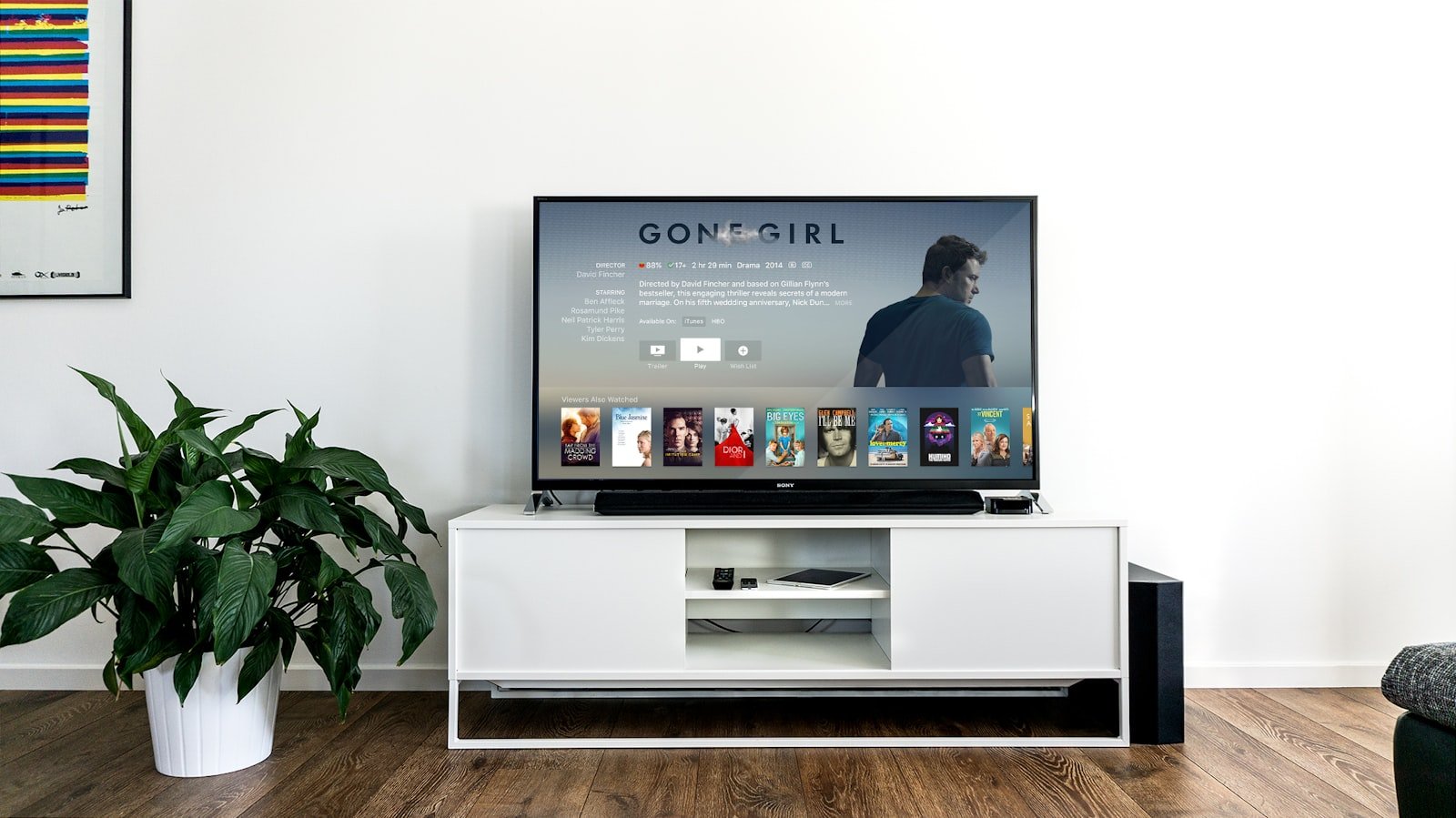
Most Fire TV Stick setups fail for reasons that have nothing to do with Vistra TV. The stick is on a guest network. The email with the login is on a different phone. Someone types a space at the end of the password. Someone installs the player a neighbor mentioned last year instead of the player named in the activation email. This article is the living-room order we wish every household used. It assumes you already have a stick in an HDMI port and a remote that still pairs. It does not assume you enjoy menus.
If you do not yet have a login, start on prices or request a 24-hour trial from contact. If you are still deciding what the service is, read what Vistra TV is (and is not) first. The shorter click list for every device, not only Fire TV, lives on setup.
What has to be true before you pick up the remote
The stick needs power. That sounds insulting until you meet the television that “shares” USB power from a port that sleeps when the set sleeps. Use the wall adapter that came with the stick whenever you can. A stick that browns out during a guide load will look like a broken login. It is a hungry USB port. If the only power you have is the TV’s USB, stay close to the router for the first evening and expect to move to a wall adapter if the picture drops every time the set dims.
The stick needs the household Wi-Fi, not the guest SSID, not the neighbor’s open network, and not a phone hotspot you planned to “just test with.” Guest networks often block the kind of long-lived streams a live guide uses. Hotspots look fine on a phone and fall apart on a television. Put the stick on the same network the laptops already trust. If you have 5 GHz and 2.4 GHz as separate names, try 5 GHz first when the stick is in the same room as the router, and 2.4 GHz if the set is a few walls away. Do not run the first login on cafe Wi-Fi and then decide the service is unusable.
You need twenty quiet minutes. Not because the clicks take twenty minutes—they do not—but because the first guide load can sit on a spinner while the list builds, and someone hovering with “is it done” will make you restart at the wrong moment. Send the rest of the house to another room. Have the activation email open on a phone you can read without leaving the sofa. If a child owns the Amazon account on the stick, you need that PIN. Fighting a parental lock in the middle of a password field is how typos happen.
You also need to know which stick this is. Fire TV Stick 4K, 4K Max, and the cheaper HD stick all install players. Older generation-2 hardware will feel slower on a large guide. That is not a Vistra TV setting you can toggle. If the stick already stutters on every other app, expect the same weather here. A newer stick in the same HDMI port solves more “soft picture” complaints than a longer plan. Plans are time. Sticks are computers.
What you need in your inbox
You need a 24-hour trial or a paid length, plus the login or playlist we emailed. The message names a player. The yearly length currently includes a premium player; that is the app we name for Fire TV because live television and films sit in one place. Other lengths name a player too. Write that name down before you open the Amazon search box. If the message has not arrived, check spam, confirm the email you typed at checkout, then write WhatsApp +92 371 9079307 or contact@vistratvs.com. Do not invent a player from a forum while you wait.
The email will include some combination of a username, a password, and a portal URL or M3U playlist. You need all of the pieces it actually sent. A username without the portal is not a complete login. A playlist pasted with a line break in the middle is not a complete playlist. Sit the phone on the arm of the sofa and type with the remote, or use the Fire TV app on your phone as a keyboard if you already have it. The phone keyboard prevents most of the “it says wrong password” evenings we see.
If two people in the house forwarded two different emails—one trial, one paid—use the latest paid message. Two logins on one stick is how a household spends an hour inside the wrong account. Remove the old playlist before you add the new one if the player already has a stale line from a friend. We would rather you start clean than debug a leftover URL from 2024.
Still fuzzy on what you paid for? The money conversation is how Vistra TV pricing actually works. The checkout path is PDCash, then a thank-you screen, then this email. The thank-you screen is not credentials. If you only have a payment receipt and no activation note, write us. Do not re-pay.
Preparing the stick so the player can install
Update the stick first. Settings, then My Fire TV, then About, then Check for Updates. A stick that has been in a drawer since a holiday will otherwise spend your setup time updating in the background and then reboot at the exact moment the guide was about to appear. Let updates finish. Restart once. Come back with the email.
Sign in to the Amazon account that is allowed to install apps. A stick on a child’s profile, a forgotten guest profile, or an account that has payment problems in the Amazon store will fail in ways that look like our fault. They are not. Install a free app you already trust—a weather app, a tube app—to prove the store works. If that install fails, fix Amazon before you touch Vistra TV.
Give the stick a little breathing room. Unplug other HDMI devices you are not using tonight if the television’s input menu is a maze. Set the television input to the stick and leave it there. Disable any “auto input switching” that hops to a soundbar menu every time someone jingles keys. You want one screen, one remote, one task.
If the named player is listed in the Amazon store, you will not need extra settings. Search, install, open. If the activation email says the player is installed another way, follow that email—not a video from a stranger. We will not walk through unofficial stores or random files from the open web in this article. If the email’s method is unclear, send us a screenshot of the message on WhatsApp and wait for the next step. That pause is faster than a stuck stick.
The clicks that actually matter
From Fire TV home, open Search. Type the player name from your activation email. People often see IBO Player or a similar IPTV player named in that message. Open the matching result from the store, not a lookalike with an extra word in the title. Install it. Open it. Accept the first-run prompts. If the player asks for permission to show over other apps or to stay awake, allow what it needs to keep a live picture on screen. Deny microphone access if you do not want it; Vistra TV does not require you to talk to the stick.
- Choose the login style that matches the email: a username and password with a portal, or an M3U / playlist URL. Do not guess XC versus M3U if the email already said which one to use.
- Type or paste the username exactly. No space at the end. No capital letter you added because it “looked more official.”
- Type the password the same way. If the remote’s on-screen keyboard is miserable, use the Fire TV phone app as a keyboard.
- Enter the portal or playlist URL on one line. If you email the URL to yourself and copy it, confirm the copy did not add
https://twice or swallow a character at the end. - Save. Wait. The first load is the slow one. A spinner for a minute is not a crash. Backing out and tapping login again usually creates a duplicate profile inside the player.
When the guide appears, do not immediately hunt for a single station with the search box while standing up. Sit down. Open Live. Open a news folder. Confirm picture and sound. Then open the sports room if that is why you paid. Then glance at on-demand so you know the film shelf exists. The channels page and how the live list is organized explain the folders. The stick does not need you to understand every label on night one.
Add the player to the Fire TV home row if the stick lets you. A household that has to search for the app every evening will eventually “lose” Vistra TV and assume the subscription died. It did not. The icon moved. Put it next to the apps people already tap.
First guide load and where things live
Live, sports, and on-demand usually appear as separate rooms. That is intentional. A single endless grid is how people get lost and declare the list “empty” because they were standing in films looking for a news hour. Learn the rooms the way you learned cable inputs: live is the flipper, sports is the event shelf, on-demand is the pile of titles that restock.
Favorites are worth five minutes on night one. Pick the breakfast news, the one country folder you will actually open, and the sports room you will open on weekends. Do not favorite thirty feeds because the names look impressive. A long favorites list becomes a second maze. Three to eight is a household. The rest of the catalog is still there when a guest asks for something else.
Electronic program information, when the player shows it, is a courtesy of the feed. Some stations have a clean now-and-next. Some show a generic label. Do not treat a missing program title as a missing station. Open the picture. If the picture is the news you wanted, you are done. If you need a specific program name for a parental decision, flip until you recognize the channel, then use the station name, not the guide text, as the source of truth.
Catch-up and recordings, if your player build offers them, are extras. They are not a promise on every live line. If a household is used to a cable box that stored three nights of a show, say that on WhatsApp so we can tell you what this player will and will not keep. Assuming every station has a 48-hour rewind is how Saturday disappointment starts.
Audio is a television setting as often as a player setting. If the picture is fine and the sound is missing, check the TV’s output (soundbar, ARC, TV speakers) before you delete the app. Fire TV also has its own HDMI display settings. “Match original” versus a forced 4K mode can make a messy live feed look worse. If a station looks smeary, try letting the stick match the content instead of forcing the panel’s showroom mode.
If the picture stutters
Move the stick off a crowded 2.4 GHz guest network if you can. A short ethernet adapter on the television helps more than buying a longer plan. Restart the stick after the first login so memory from the store install is cleared. If one live station fails, try another in the same folder—lists often have a backup feed. Then try a film on demand. If films are smooth and one live line is not, you have a station problem, not an account problem.
Walk the cheap checks in order before you write:
- Confirm the stick is on the main SSID and shows a strong wireless icon.
- Pause uploads on a laptop that is backing up photos to the same router.
- Ask whether someone started a 4K film in another room on the same login if concurrency is limited.
- Lower the player’s stream quality one step if the menu offers it, then raise it again once the line is quiet.
- Swap HDMI ports if the picture sparkles—some television ports share bandwidth with a failing soundbar.
- Unplug the stick for thirty seconds. Not five. Thirty. Then open the player only, not six other apps first.
Match nights are harder on Wi-Fi because the house is home and every phone is on the access point. See what holds up on match night. If you are replacing a rented box, compare money and time in leaving a cable bundle so you do not blame the stick for a line that also made the cable box buffer. A cable box on coaxial can look calmer on a weak wireless network. That is physics, not a verdict on the plan you bought.
Heat is a real Firestick problem. A stick jammed behind a closed cabinet, stacked on a warm soundbar, or left in a vertical clump of HDMI adapters will throttle. If the remote feels like the stick is thinking about every click, let it breathe. A six-inch HDMI extender that pulls the stick out of a hot cluster is a household tool, not an upgrade pitch.
Two screens, guests, and the kitchen tablet
You can install the named player on a second Firestick, a phone, or a laptop with the same login. That is useful when someone wants news in the kitchen. It becomes a problem when two live pictures start at the same minute and the access we assigned only holds one. Ask for the concurrency number in writing if the house will truly watch two rooms at once. Do not discover it during a final.
Guests do not need your Amazon PIN. They need the player already on the home row and a favorites list that includes something they recognize. If you hand a guest the remote and the first screen is a login form, you are still in setup. Finish setup before the guests arrive. The trial is a poor time for a dinner party unless you enjoy narrating menus.
A phone is a fine second screen for a trial. It is a poor living-room screen for a match you care about. Use the phone to confirm a station exists, then move that station to the stick. Households that judge the entire service on a six-inch screen in a bright kitchen will pick the wrong length and the wrong mood.
If a child profile on the stick hides the player, put the app on the household profile and use the television’s sleep timer like you already do. Vistra TV is not a babysitting system. The live list includes rooms you will not want on the nursery television. Favorites and a separate stick in another room are the practical answers. There is no “kids only” card on the pricing page.
When to write WhatsApp instead of poking menus
Write when the activation email is missing after a successful PDCash payment. Write when the player accepts the login and then shows an empty guide on every room, not just one folder. Write when the password fails after you typed it with a phone keyboard and a second pair of eyes. Include the email you used at checkout, the player name you installed, and a photo of the error—not a description of “it doesn’t work.”
WhatsApp +92 371 9079307 is the faster path after you have paid. Email contact@vistratvs.com is better for a billing question or a note you want in a searchable thread. The FAQ and how it works pages cover the calm questions. A Saturday error on the stick is not a calm question. Use WhatsApp.
Do not write after you have installed three different players in an hour. Tell us which one the email named, delete the extras, and start from that app. A screenshot of three icons and a shrug is a slower fix than one icon and the email. Do not write from a hotel network and ask why live sports look like a slideshow. Move to the home line or say you are on a hotel line so we do not chase a ghost.
Do write if a must-have station is missing during the trial. Catalogs move. Confirm the feed before you pay for a year. That is a content question, and it is a good use of the 24-hour window. It is a bad surprise in month eight.
After it works: keeping the stick quiet
Leave the player on the home row. Leave the stick on the main SSID. Leave the wall power connected. Those three sentences prevent most “it vanished” weeks. When Amazon shuffles the home screen after an update, put the icon back. When a visiting nephew “cleans up” apps, check that the player is still installed before you assume the subscription ended.
Restart the stick on a weekday morning once in a while, not in the minute before a match. Updates like to land at the worst time if you never reboot. If the yearly length named a premium player, keep that player. Do not “try a lighter app” from a video unless we tell you to. Two players with two leftover playlists is the usual mess this article is trying to spare you.
When the paid length is close to ending, renew before the evening you care about. Access ends when the time ends. The stick will not warn you with a friendly banner the way a studio app might. Put a reminder on the same calendar you use for the season. The amounts are still $16, $31, $40, and $60 unless the live pricing page says otherwise. How it works and about are there if a new person in the house wants the non-remote version of the story.
If you ever move the stick to another television, take the wall adapter with it, join the new room’s main Wi-Fi, and open the player. You should not need to pay again. You may need to re-type the login if you factory-reset the stick. Factory resets are how living rooms accidentally start from zero. Avoid them unless the stick is actually broken or you are giving the hardware away.
That is the whole Firestick path: email, named player, exact login, one clean first load, then household habits that do not fight the stick. When you want the money board again, it is on current prices. When you want a person, it is WhatsApp or email. When you want the rest of the desk, the keep-reading list is below.
Firestick questions from real sofas
Which app do I install on the Fire TV Stick?
The player named in your Vistra TV activation email. The yearly offer currently includes a premium player. Search that name in the Amazon store. Do not install a lookalike or a leftover app from a friend while you wait for the email.
The guide is empty after I log in. Now what?
Wait a minute on the first load, then open Live rather than on-demand. Confirm you used the latest email, not a trial message after a paid one. If every room is empty, send a screenshot to WhatsApp +92 371 9079307.
Do I need to buy a Vistra TV stick?
No. Use the Fire TV Stick you already have if it still installs apps. We do not ship hardware. A very old stick may feel slow on a large guide; that is the computer in the HDMI port, not the length you paid for.
Why does the picture stutter only at night?
The house is home and the access point is busy. Move to the main SSID, pause uploads, try 5 GHz if you are close to the router, or use a short ethernet adapter. A longer plan will not repair a crowded network. Match nights: what holds up on match night.
Can the kitchen tablet use the same login?
You can install the named player on more than one compatible screen. How many can play at once depends on the access we assign—ask if you need that number in writing. A tablet is fine for news; use the stick for a match you care about.
The activation email never arrived. Should I pay again?
No. Check spam, then write contact@vistratvs.com or WhatsApp +92 371 9079307 with the checkout email and the length. A second PDCash payment usually means two logins and a longer evening.